

Buyers ask the same questions on every listing. Is it in a flood zone? Which school district? What are homes asking nearby? What about fire?
You can answer from memory, or you can hand them a document that answers from the public record and carries your name on it. MapGO’s Property Location Report is that document for a United States address: a web page and a PDF, dated, with a source on every section. On a paid account, the PDF can also carry your company.
The report covers the 50 states and the District of Columbia. It will not run on an address outside the United States, and it does not cover Puerto Rico or the other territories. Branding does not change that. A branded PDF is still a US location report.
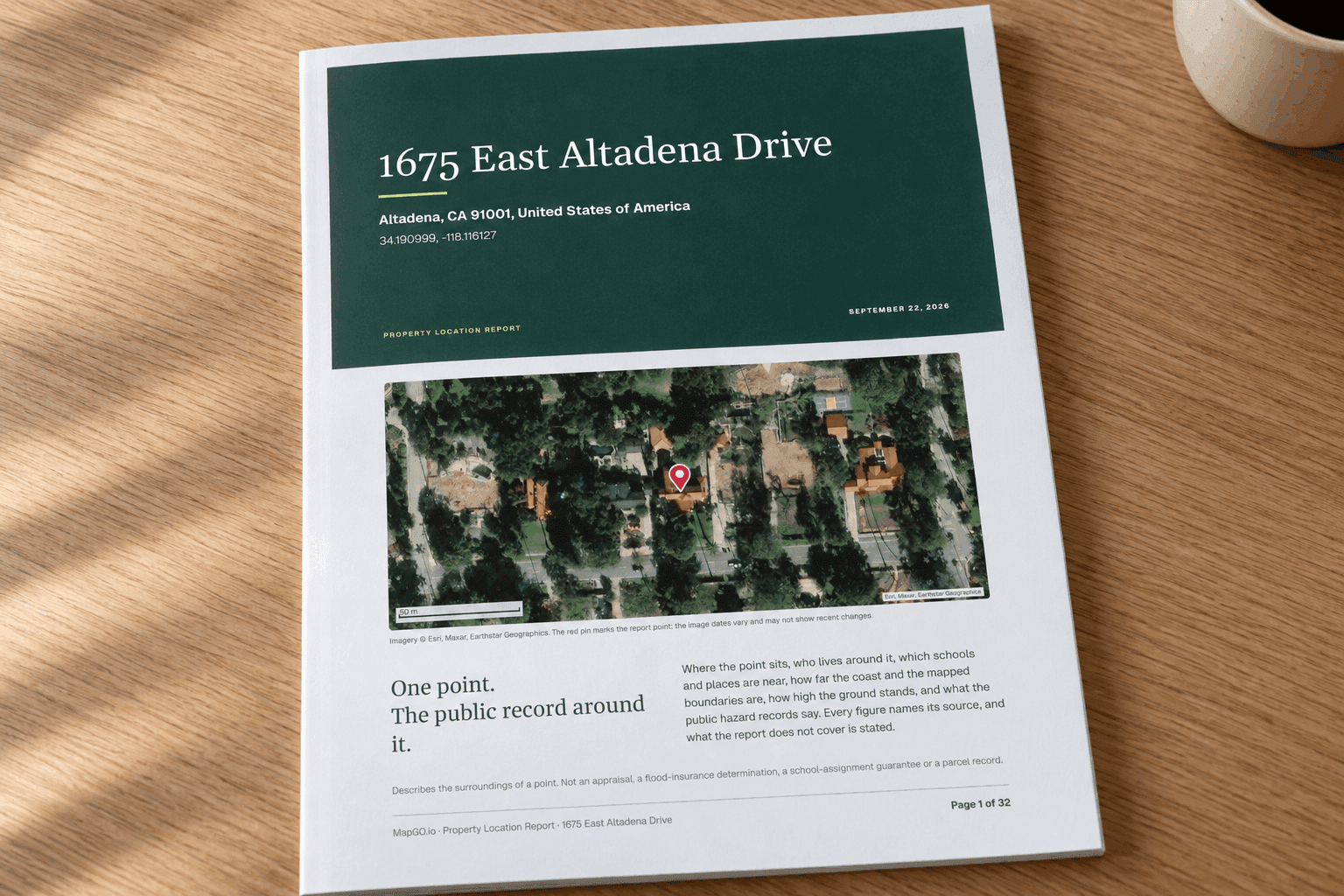
The figures in this article are from a report for 1675 East Altadena Drive, Altadena, CA 91001, generated on September 22, 2026. Use them as a picture of what your buyer receives. Generate a fresh report for the address you are actually sending.
What your buyer sees
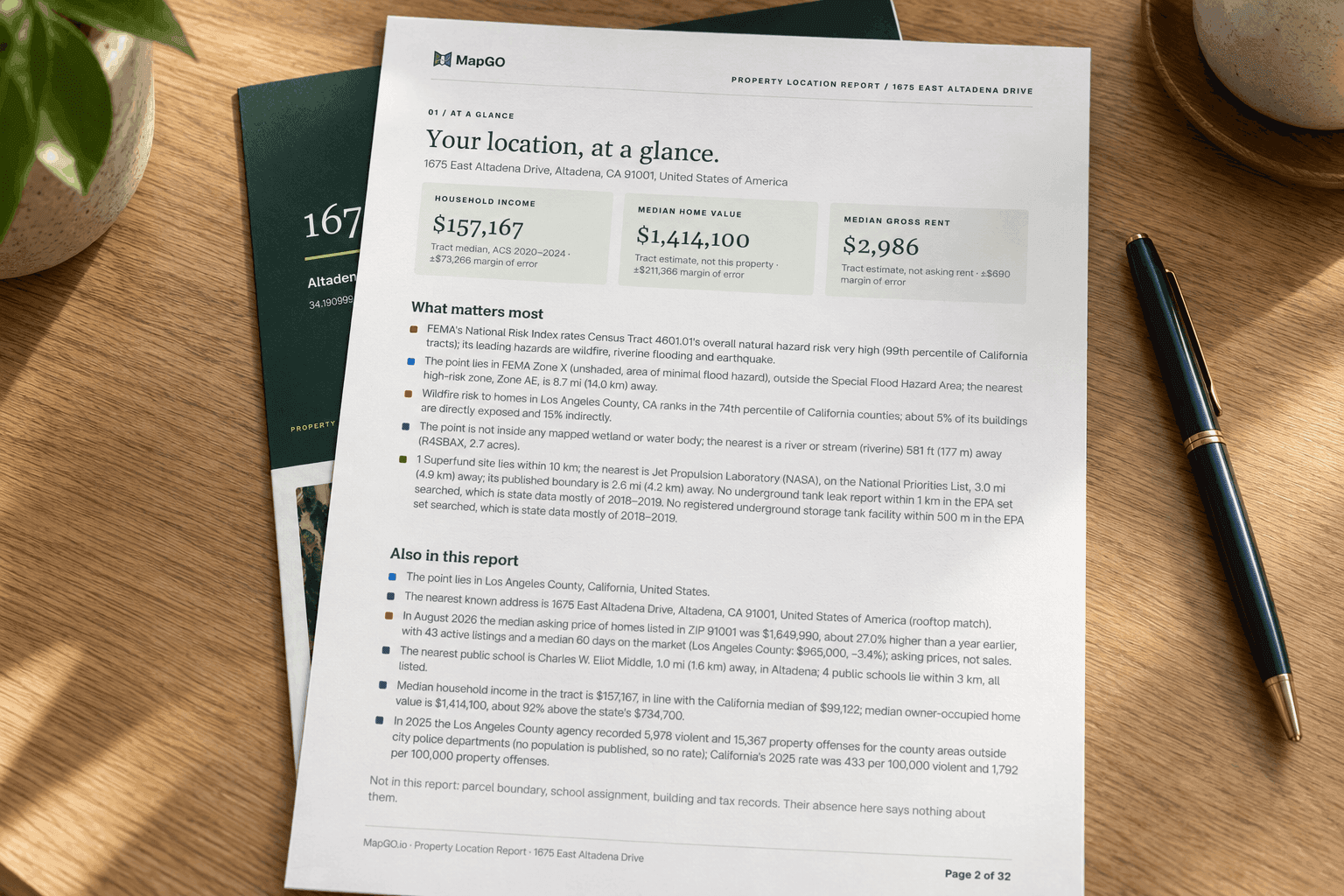
The unbranded PDF already reads as something you can forward. The cover names the address, the date and a one-line description: the public record around one point. Page two is “at a glance,” with the findings that matter first. This Altadena snapshot leads with a very high tract hazard rating, Zone X at the point, county wildfire figures, a mapped stream 581 feet away, and a Superfund site 3 miles away. A second group covers the county, the rooftop address match, ZIP asking prices, the nearest public school and the crime tables.
Then the contents: nearest address, homes on the market, house-price trend, census areas and school districts, public schools, places, area statistics, the hazard index, flood zones, wildfire, disaster declarations, wetlands, Superfund, tank records, regulated sites, crime, and a Before you buy checklist. An appendix covers coast, elevation, boundaries, coordinates and sources.
Your buyer can open any line from the contents page. You do not have to narrate all 32 pages in the email. You point at the pages that match the question they asked.
Put your name on the PDF
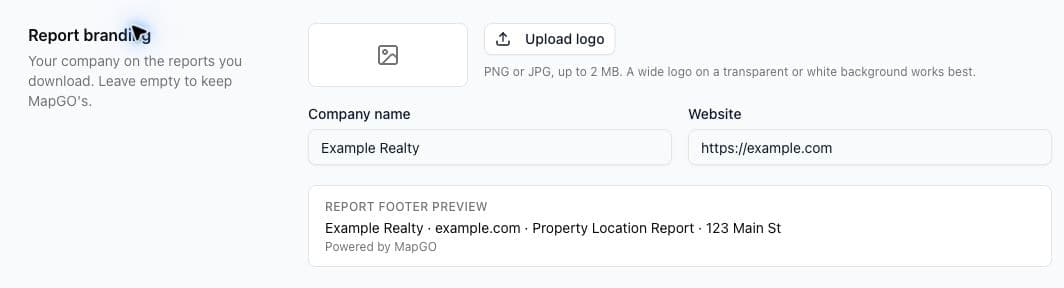
Branding lives in Account Settings, at Profile, in the section called Report branding.
You can set:
- A company name
- A website
- A logo, as a PNG or JPG, up to 2 MB
The name and website save with the rest of the profile. The logo saves when you upload it. A footer preview on that page shows the line the PDF will use: your company and website, then “Powered by MapGO.”
On the downloaded PDF, a branded account appears in three places:
- Prepared by, with your logo or company name, on the cover
- Your logo or name in the running header
- Your company and website in the footer, alongside “Powered by MapGO”
The web view of the report stays MapGO-branded. Branding is applied when the PDF is downloaded. Change the logo later, and the next download picks it up. Guest reports, bought by someone without an account, stay MapGO-branded. If the report should carry your company, generate it from the account that holds the branding.
Leave the fields empty and the PDF stays MapGO’s, which is what you want on a personal search you do not plan to send.
When to send it
Three moments cover most of the use.
They asked a location question. “What flood zone is it in?” Forward the PDF and name the page. On this Altadena example you would say: the point is in Zone X (unshaded), the nearest Zone AE is 8.7 miles away, and the effective map is at the FEMA Map Service Center. That is a complete answer. It is also an accurate one, because it does not call the house safe and it does not replace the lender’s map.
You are sending a listing packet. Attach the report with the photos and the disclosures. The at-a-glance page is the page a buyer will actually read. The checklist at the end tells them what to verify next, which is a better close than a wall of figures.
You are helping someone compare or relocate. Run one report per US address, with the same branding, and send them as a set. The sections line up, so a buyer can compare a ZIP’s asking prices, a school district and a flood zone without you rebuilding the spreadsheet. A second address in another country cannot join that set.
A note you can send with the file
Keep the email short. The report is already long. Something in this shape matches what the PDF itself claims:
> Attached is a Property Location Report for 1675 East Altadena Drive, prepared from public data on September 22, 2026. It describes the surroundings of the point: flood zone, schools, area asking prices, hazards and more, with sources. It is not an appraisal or a flood-insurance determination. Page 2 is the short version. The checklist near the end is the list of official checks still worth doing. Happy to walk through any page.
Swap in the address and the date from the report you generated. If you have branding set, you do not need to repeat the company name. It is already on the cover.
Quote figures the way the report quotes them. “The ZIP’s median asking price in August 2026 was $1,649,990” is fair. “The house is worth $1.6 million” is not. “The point is in Zone X” is fair. “You will not need flood insurance” is not. “Eliot Middle is a mile away” is fair. “The district will assign you there” is not.
What you should not let the logo imply
Your name on the cover means you prepared the packet. It does not make the figures yours, and it does not extend them. A few limits are worth knowing before a buyer treats the PDF as your professional opinion:
- Area statistics describe the tract, the ZIP, the county or the agency. The tract median home value on this report is about $1.4 million, with a margin of error over $200,000. It is not this house.
- Crime figures are offenses the agency reported to the FBI for its whole service area. Here there is no city agency named Altadena in those tables, so the county agency stands in. That is not a picture of the block.
- School proximity is a straight-line distance. Assignment belongs to the district.
- Environmental records near the point are records. The JPL Superfund site is 3 miles away. The report says proximity is not contamination.
- The parcel, the title and the tax record are still the county’s.
The sources page and the “Reading this report” page say this at more length. Leaving those pages in the PDF is the point. A branded report that quietly dropped them would be a worse document.
Set the name once
Add the company name, website and logo in Account Settings. Then, for each US listing or buyer question, search the address, download the PDF and send page 2 with the file. The research is the report. The relationship is the note you write on top of it.
Start with a US address on the Property Location Report page. Branding is waiting under Account Settings when you are ready to send the PDF as yours.